The Next-Gen HTTP/HTTPS Debugger & Programmable Proxy for Modern Developers.
The Composable HTTP Debugger Stack rules to mock, intercept, and rewrite traffic — combine any actions, reuse anywhere.
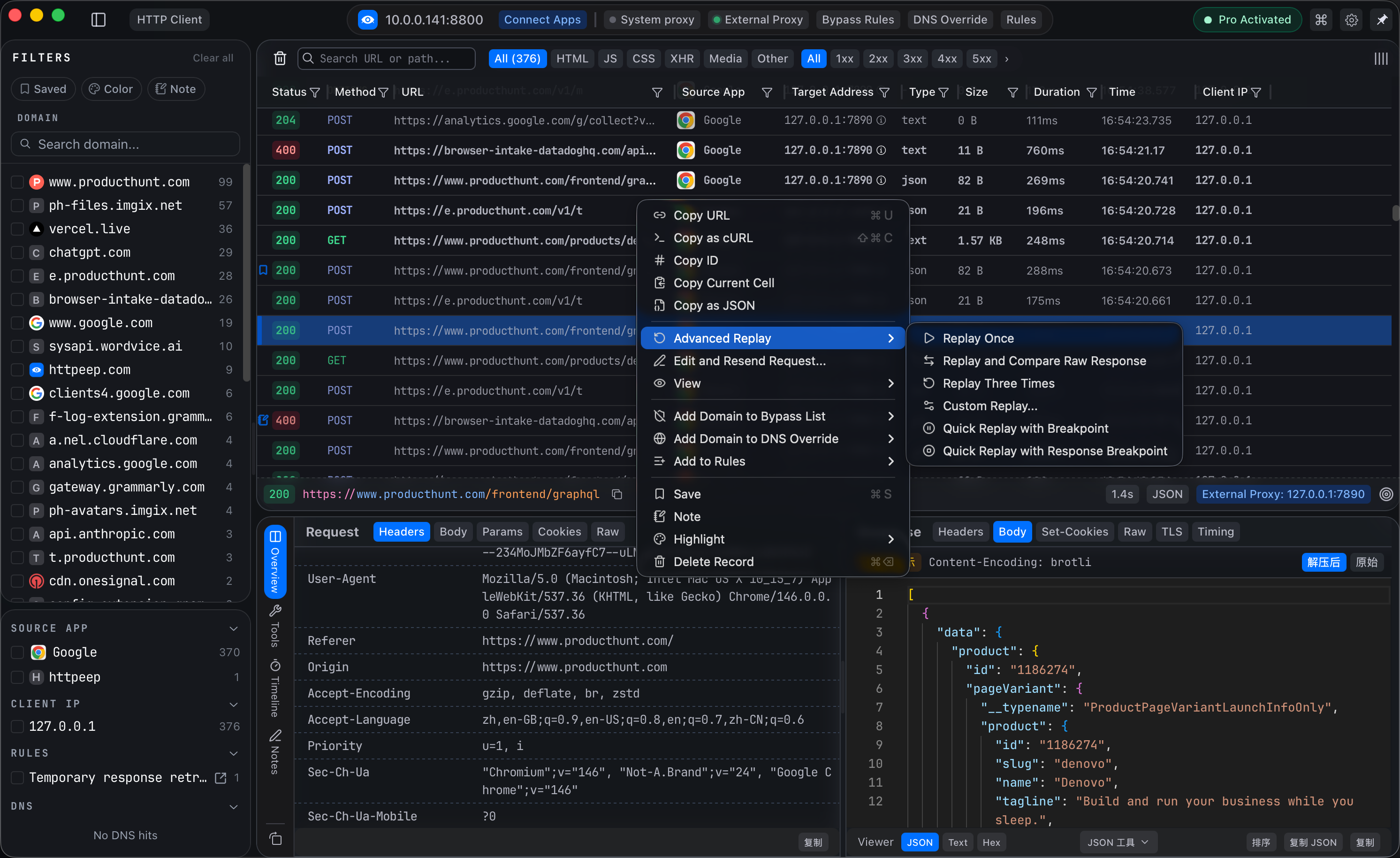
Intercept, Modify, Route, Debug One Rule Handles It All
Visualize how every HTTP/HTTPS request flows through HTTPeep's composable rule engine — from capture to response delivery.
Eight Core Features
Each Feature Hits the Pain Point
Not just a pile of features — each one solves real development and debugging scenarios
Rule Engine
All DevelopersRule-based request forwarding with file-based configuration. Version control, save, reuse, and chain execution. Multi-condition matching + action pipeline + three resolve exits.
Breakpoint Debugging
All DevelopersPause before request, intercept before response—debug HTTP like code. Modify in real-time then pass or abort.
Mock & Map Local
Frontend DevelopersMap requests to local files, changes take effect immediately. Support JSON, JS scripts, any static resources.
Map Remote
Full-stack / IntegrationRoute production traffic to local services without code changes or hosts file modifications.
Network Throttling
Mobile / QALatency, bandwidth limiting, random failures—simulate real network conditions and reproduce production issues locally.
Response Rewrite
Frontend DebuggingPartial modifications on real responses instead of full mocks. Keep real data, only change what you want to test.
Terminal UI
CLI / DevOpsTUI with full feature parity—rule configuration, traffic capture, breakpoint debugging, all in your terminal. Perfect for SSH/remote servers.
Rule Templates & History
Teams / Power UsersFile-based debugging configurations that can be saved, exported, and shared. Rules become reusable debugging assets.
Various configs, one rule to rule them all
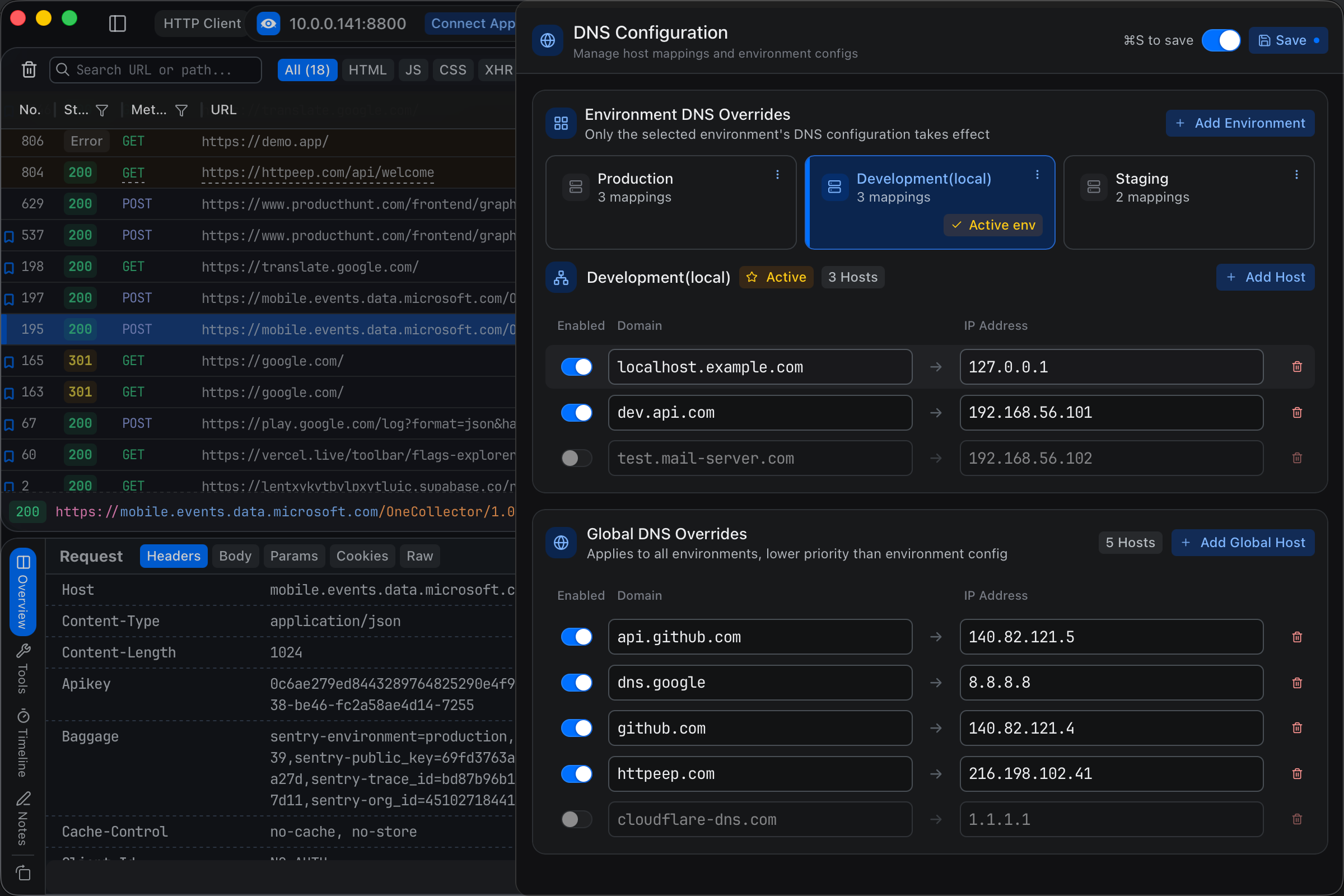
Based on a deterministic pipeline architecture: Match → Actions → Resolve → Response. Front-end Mocking, environment isolation, anomaly simulation — one rule for each scenario, freely combining various actions without backend cooperation.
- Multi-condition combined matching: Domain (Wildcard/Template), Path, Header, Query, Body
- Request Actions Pipeline: DNS Override, URL/Header/Body Rewrite, Delay, Throttle, Breakpoint
- Three Resolve outlets: Pass Through, Map Remote, Map Local
- Response Filter + Actions: Filter by status code/Content-Type, rewrite response body, inject scripts
- Complete execution logs: Each stage is traceable, rule behavior is fully explainable
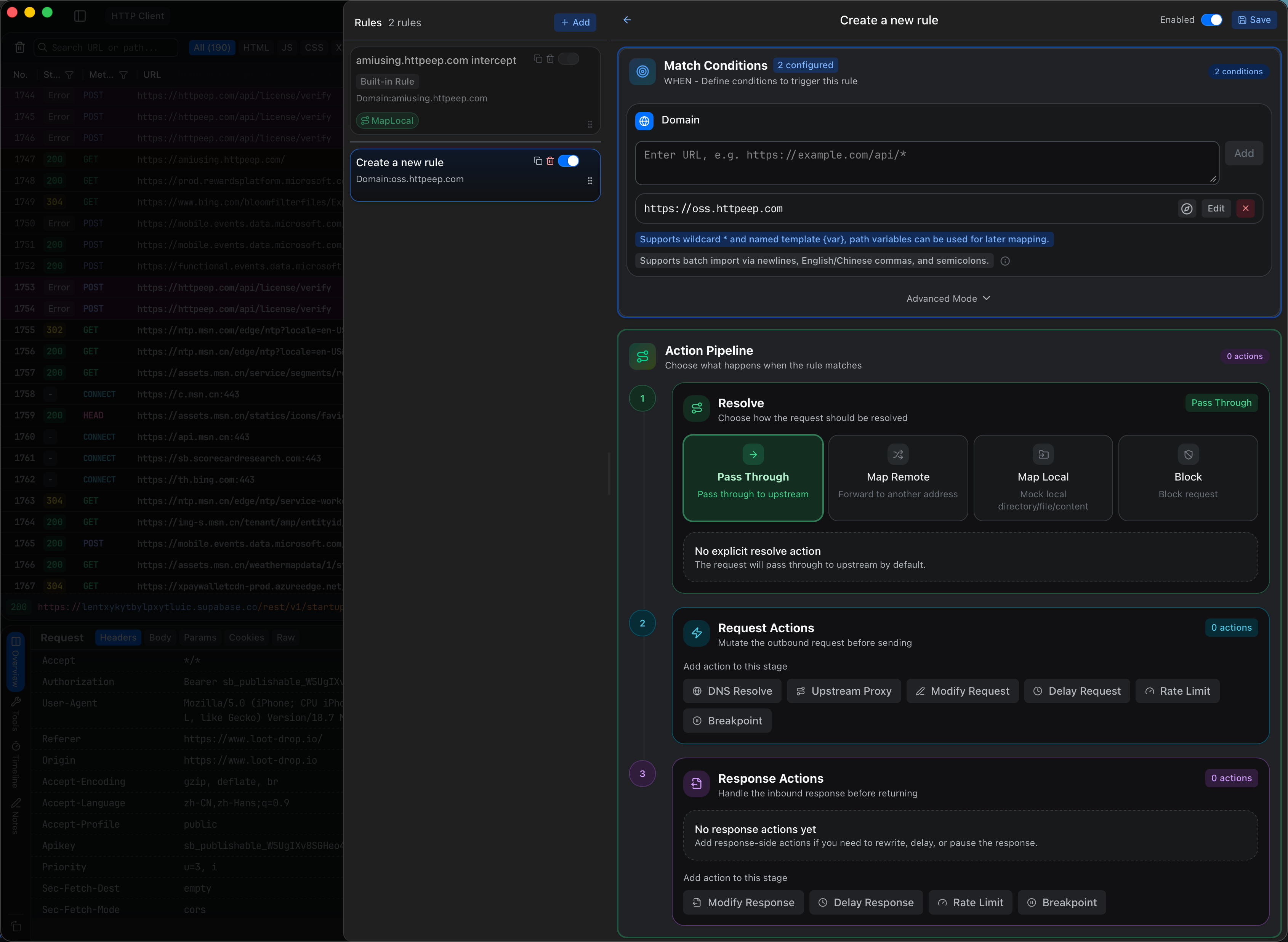
Debug HTTP Like Code
Pause before requests, intercept before responses—full control over every network interaction
- Request Breakpoint
- Response Breakpoint
- Live Editing
- Flexible Pass/Abort
Traffic tools AI agents can call directlyComing Soon
Built-in MCP Server, AI agents like Claude/Cursor/Copilot can directly query session data, generate Mock rules, and analyze abnormal requests. Combined with the CLI, automated debugging workflows are at your fingertips.
- MCP Server: AI agents query sessions and generate rules directly
- CLI: Scriptable operations, integrating into CI/CD workflows
- Automatically generate Mock configs from history sessions
- Anomalous request analysis, AI provides fix suggestions
Rule as Code
Debugging configuration is based on files, which can be saved, exported, and shared with teams. Rules become reusable debugging assets.
~/.httpeep/rules/
├── rule.yaml              # Rule Configuration
├── bypass.yaml            # Bypass Configuration
├── dns_override.yaml      # DNS Override Configuration
├── external_proxy.yaml    # External Proxy Configuration
└── rate_limit.yaml        # Rate Limit Configuration
# rule.yaml - Main Rule Configuration Example
- id: rule_mnhi5xkt
  description: "Frontend Mock API"
  enabled: true
  builtin: false
  stopAfterMatched: false
  match:
    domains:
    - type: exact
      value: api.example.com
    originProtocol: https
  requestActions: []
  resolve:
    type: map_local_dir
    filePath: /Users/chris/mocks/api
    headers:
      x-httpeep-debug: '1'
  responseActions:
  - type: delay_response
    id: action_1775140499860
    enabled: true
    delayMs: 500
  - type: throttle_response
    id: action_1775591855867
    enabled: true
    speed:
      max: 384
      burst: 768
Separate Config Files
Manage each environment/project independently
Git Version Control
Track modification history
Team Synchronization
Share rule configurations
Import & Export
Quick migration and backup
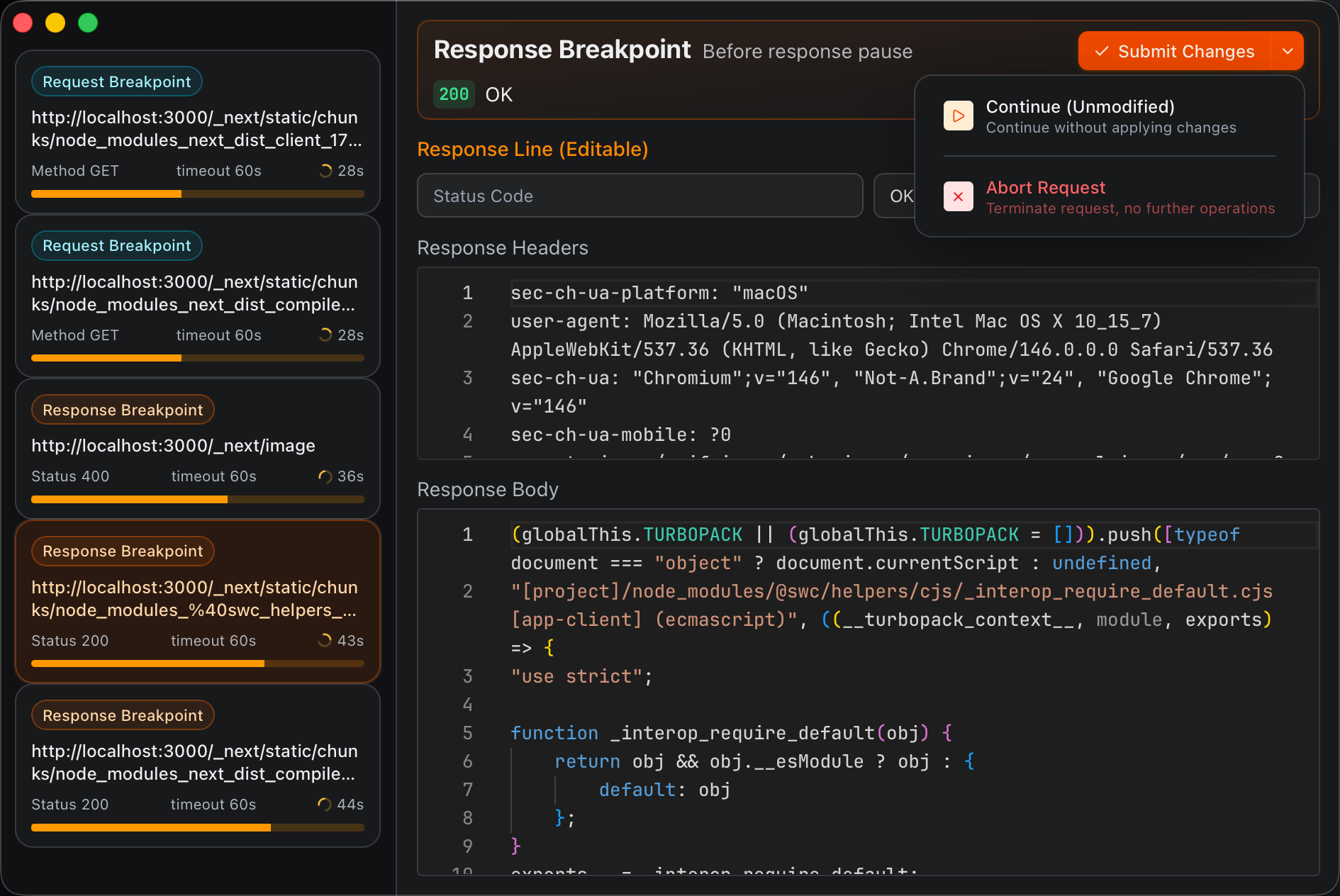
Flexible Domain Resolution Management, Zero-Intrusion DNS Override
Multi-environment DNS configuration management, say goodbye to frequent hosts file modifications
Capture → Rule → Modify → Done
Capture → Rule → Modify → Done
Download and use, start capturing and debugging traffic in minutes
Install & Trust Certificate
Choose platform to install, one-click install Root CA to system trust, enable HTTPS decryption.
macOS 10.15+ · Windows 10+ · glibc 2.31+
Capture Traffic
Start the proxy, browser or system traffic automatically goes through HTTPeep, real-time list display.
Supports Chrome, Terminal, Docker, mobile devices
Configure Rules
Set up forwarding, Mock, and breakpoint rules; configure once for permanent effect, exportable for team sharing.
Map Local · Breakpoint · Delay · Reject
Debug & Modify
Intercept target requests, modify data in real-time, observe application reaction after release, and locate issues.
Edit · Continue · Abort · Replay
Ready to Build Your First Rule?
Explore our collection of ready-to-use rule templates for mocking, intercepting, and rewriting HTTP traffic.
Explore Rule TemplatesDownload HTTPeep
Free to download. No installation required.